调试 nestjs 代码
使用 node 自带的命令调试
--inspect 以调试的模式运行代码
--inspect-brk 会在首行断住
运行文件
const path = require("path");

const resolve = (pathname) => {
  return path.resolve(__dirname, pathname);
}

console.log(resolve("./index.js"));
$ node --inspect-brk ./index.js
浏览器访问
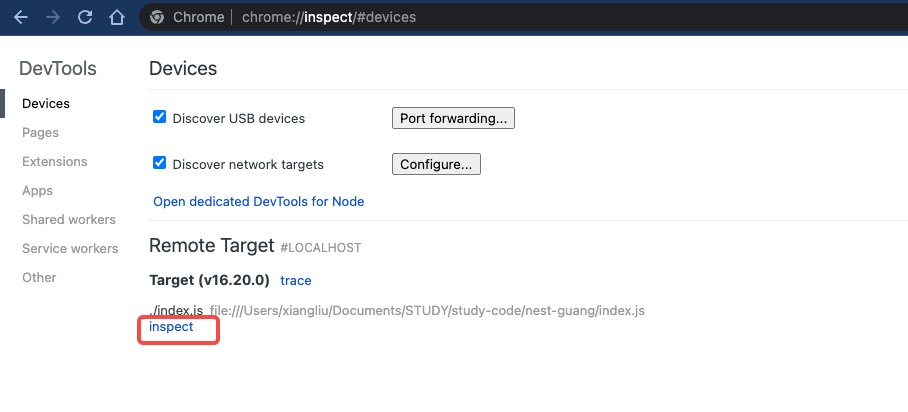
点击 inspect
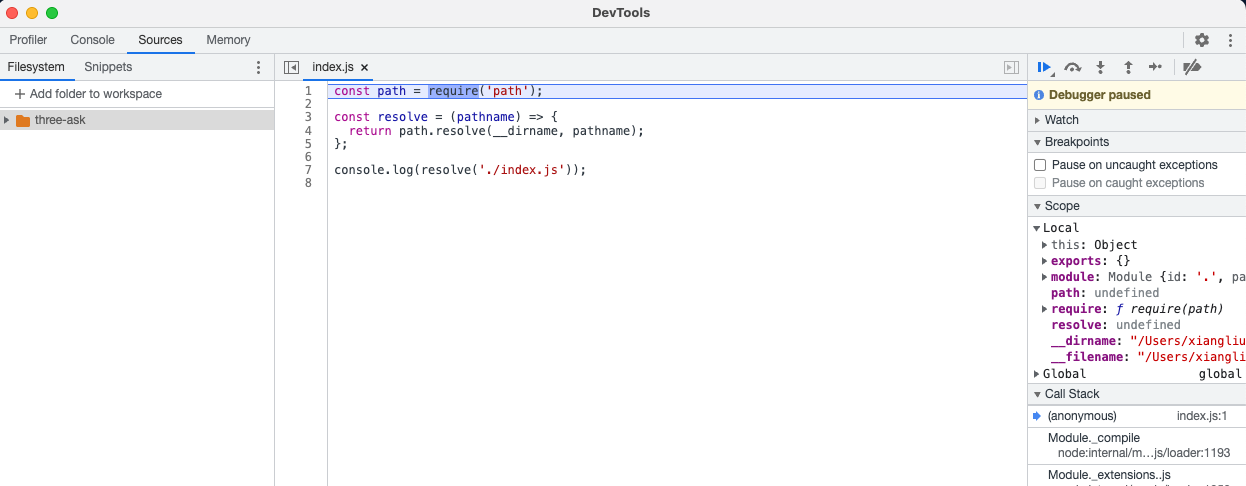
nestjs 自带的调试工具
用的其实就是 node --inspect,
$ nest start --debug
VSCode Debugger(推荐)
创建 launch.json 文件
{
  // Use IntelliSense to learn about possible attributes.
  // Hover to view descriptions of existing attributes.
  // For more information, visit: https://go.microsoft.com/fwlink/?linkid=830387
  "version": "0.2.0",
  "configurations": [{
      "type": "node",
      "request": "launch",
      "name": "debug nest",
      // 运行的脚本
      "runtimeExecutable": "nest",
      // 运行的参数
      "args": [
        "start",
        "--watch"
      ],
      "skipFiles": [
        "<node_internals>/**"
      ],
      // vscode 内置的 终端
      "console": "integratedTerminal",
      // 项目路径
      "localRoot": "${workspaceFolder}/nest-guang",
    }
  ]
}